


The way people search is changing so fast right now. Not long ago, couples were Googling wedding photographer in Austin, clicking through 10 pages of search results and doing a deep dive comparison marathon through 37 open tabs.
Now, instead of scrolling through endless results, more and more couples are opening ChatGPT, Claude, Perplexity, or Google’s AI Overviews and asking questions like:
“Who are the best documentary wedding photographers in California?”
“Can you recommend a wedding photographer who specializes in intimate coastal elopements?”
“Find me a photographer with a film-inspired, moody aesthetic based in the Pacific Northwest.”
And that changes how you have to show up to stay relevant.
Not because SEO is dead, it very much isn’t (please do not throw your blog into the ocean) but because your website now has a second job. It doesn’t just need to rank, it needs to be understood.
By Google, by AI tools, by search engines that haven’t been built yet and most importantly also by the couple who’s planning a wedding at 11:47pm with decision fatigue fully activated and approximately zero patience for vague copy that doesn’t actually tell them what you do.
Here’s the most important part for wedding photographers: AI tools can’t recommend you well if they can’t clearly understand what you do, where you work, who you serve, and what makes you different. Your photos might be gorgeous and your client experience might be incredible. But if your website says “capturing timeless moments” and “telling love stories through light” without actually saying “wedding photographer in [location] specializing in [style]” you’re making AI work way too hard.
So let’s talk about how to get recommended by AI as a wedding photographer, in a way that also strengthens your SEO, improves your client experience, and makes it easier for the right couples to find and trust you. Because honestly, the things that help ChatGPT, Claude, or Perplexity understand your website are usually the exact same things that help dream clients book you faster.
If you want to audit the client-facing side of your site too, my free Website Guide for Wedding Photographers walks you through what dream clients actually look for before they inquire.
How does AI actually decide who to recommend?
AI tools like ChatGPT, Claude, Perplexity, and Google’s AI Overviews don’t browse your website the way a person does. AI tools can draw from indexed web content — including your website, blog posts, directories, reviews, and third-party mentions — and synthesize that information into an answer. The more clearly and consistently that content signals who you are and what you do, the more confidently AI can include you in a recommendation.
This approach is also called GEO (Generative Engine Optimization), AI search optimization, or answer engine optimization. Different names, same idea: making your website easy for AI tools to understand, summarize, cite, and recommend.
Here’s a concrete example of how this differs from traditional SEO:
Traditional SEO might help your page rank for “documentary wedding photographer San Diego.”
AI search might recommend you when someone asks: “Can you recommend a documentary wedding photographer in San Diego for an intimate elopement?”
One is keyword-based, the other is conversational. And that means your website needs to do more than sprinkle keywords around. It needs to clearly explain who you are, what you offer, where you work, what kind of weddings you’re best suited for, and why someone should trust you.
SEO vs. AI search: what’s different, what overlaps, and why both still matter
Good news first: traditional SEO and AI search overlap a lot. Both care about clear website structure, helpful content, strong headings, fast-loading pages, mobile-friendly design, relevant keywords, and trustworthy third-party mentions. If you’ve been working on your SEO, you’re absolutely not starting from scratch.
Google’s own guidance around AI features still points back to the same foundation: helpful, accessible, indexable content that search engines can understand.
But the goal is different, and that matters.
With traditional SEO, you want someone to search, see your result, click your page, and land on your website. With AI search, the tool might summarize information directly in the answer. It may mention your business, cite your content, recommend your services, or use your website as one of several sources to shape its response. The goal shifts from “can I rank?” to “can AI confidently understand and describe my business?”
A few specific differences worth knowing: AI favors direct, question-answering writing more explicitly than Google does — it’s looking for sentences it can lift and use as standalone answers. FAQ sections can be especially helpful because they answer real questions in a clear, easy-to-summarize format. Schema markup can support that by helping search engines understand the structure of your FAQ content. And reviews plus off-site brand mentions matter more for AI recommendations than they do for traditional SEO.
The practical takeaway is you don’t need two separate strategies. You need one solid strategy with a few intentional extra layers. A well-built photography website serves both, and this post is about building (or refining) that foundation.
Stop writing like a mystery novel

This is probably the most important section in this whole post, so please actually read it before you go reorganize your sock drawer to avoid thinking about your website. 😬
A lot of photographers write homepage headlines like:
“Capturing moments that matter.”
“Storytelling through light and emotion.”
“Love, unscripted.”
Which might be beautiful and poetic, don’t get me wrong. But the problem is that those phrases don’t tell AI (or a potential client) what you actually do.
A stronger headline would be something like: “Documentary wedding photography for intimate weddings and elopements across California” or: “Copenhagen-based wedding photographer specializing in relaxed, unposed celebrations across Denmark and Europe.”
Now we have something useful. We know what you do, where you work, what kind of weddings you photograph, and who it’s for. That’s not boring, that’s clear. And clarity is what allows both people and AI tools to connect you with the right searches.
You can absolutely still have beautiful, emotional language. Please do — we are not building accounting software here. But the emotional language needs to sit on top of a clear foundation. Think: clear first, poetic second. Not the other way around.
This clarity needs to show up consistently throughout your whole site.
One more thing worth knowing about, though it’s more advanced: schema markup. It’s basically structured code you can add to your website to help search engines and AI tools understand specific content more explicitly, such as your business info, FAQ sections, services, etc. It’s a useful extra layer, but firmly in the “nice to have, not urgent” category. Always get your copy clear first! That being said, if you’re comfortable with a bit of code and want to know more, this short guide written specifically for photographers is a good starting point.
Create dedicated pages for what you want to be known for
One of the biggest missed opportunities on photography websites is trying to make one page do everything. A single “Weddings” page can only say so much. It might explain that you photograph weddings, sure! But it probably won’t clearly signal every location, style, wedding type, or client need you want to be known for.
And that matters because AI search is often incredibly specific. People aren’t only asking: “wedding photographer Michigan”, they’re asking things like: “Who are some wedding photographers in Michigan with an editorial but relaxed style for a small destination wedding?”
That kind of question has layers: location, style, wedding type, vibe, client preference. So the clearer your website is about those layers, the easier it becomes for both AI tools and search engines to understand when you’re a relevant recommendation.
But — and this is important — this does not mean you should create a bunch of thin landing pages just because you want to rank for every city, venue, or wedding style under the sun. Please do not make 37 copy-paste location pages with the city name swapped out and call it a strategy. Google is not stupid, AI is getting better at sniffing out generic content, and honestly, your dream clients deserve better.
A dedicated page makes sense when the topic is a core part of your business.
For example, if you regularly photograph elopements in San Francisco and want to become known for that, a page like San Francisco Elopement Photography could absolutely make sense.
That page should be genuinely useful and specific, with things like:
- your approach to elopements in that location
- what kind of couples it’s best for
- example galleries from that area
- planning guidance
- location-specific FAQs
- testimonials from relevant clients
- links to related blog posts
- a clear next step to inquire
That’s a real, useful page that helps someone make a decision.
But if it’s a topic you only want to test, a location you’ve photographed once, or a style you want to explore more before making it a full service focus? Start with a blog post instead.
For example:
- Best Intimate Wedding Venues in Tuscany
- What to Know Before Planning a Lake Tahoe Elopement
- Documentary vs Editorial Wedding Photography: What’s the Difference?
- A Rainy Autumn Elopement in London
Blog posts are perfect for building topical depth without forcing every idea into your main website navigation. Over time, if you notice one topic getting traffic, inquiries, or strong alignment with the work you want more of, you can turn it into a proper service or location page later.
Make sure AI can actually read your website
This one is easy to overlook and it’s especially relevant for photographers, because photography websites are naturally image-heavy.
The issue: AI can only work with what it can actually read. And a lot of photography websites are, technically speaking, almost unreadable to a machine. Common problems include important headlines saved as image graphics (invisible to AI), sliders and galleries with no supporting text, portfolio pages with only names and no context, and service pages that list package names but don’t explain what the experience actually involves. If your homepage is 90% gallery and 10% text, AI has far less context to work with.
The rule of thumb is: if a screen reader would struggle to understand your site, AI probably will too. Real, crawlable text on every key page isn’t just good accessibility practice, it’s foundational for both SEO and AI visibility.
A quick audit to run on your own site: Does your homepage have a text headline that includes your specialty and location? Do your portfolio sections have written descriptions, not just photo grids with names? Are your page sections labeled with actual headings, not just large fonts embedded in images? Does your services page explain the experience, not just list prices? If you’re on Showit, all of this is fixable within the platform, it’s mostly a design decision, not a technical one.
Write content that answers the questions AI actually gets asked
Here’s where wedding photographers have a real advantage: you already know the questions couples ask before they feel ready to inquire. And those same questions are now showing up in ChatGPT, Claude, Perplexity, and Google AI — not just Google search.
Things like: how far in advance should we book a wedding photographer? What’s the difference between documentary and editorial wedding photography? Should we do a first look? How many hours of coverage do we actually need? Best elopement locations in Colorado?
Every one of those is a blog post you could write. And if you’ve written it well, you become the source AI references when it answers that question for the next couple who asks.
Three content formats that work especially well for AI visibility: wedding planning FAQs (practical questions couples are genuinely asking), location guides (best venues, how to plan an elopement in a specific destination), and experience-based posts that explain what it’s actually like to work with you and why couples choose your approach.
Your wedding portfolio posts matter too, but only if they have real detail. A post titled “Sarah & Tom’s Wedding” doesn’t give AI much to work with. But “A Windy, Intimate Fall Wedding at Zion National Park” already gives more context: location, season, wedding type, and atmosphere.
Then your intro can naturally add the rest: Sarah and Tom planned a small wedding at Zion National Park with their closest family, golden fall light, and a day that felt relaxed from start to finish. I photographed it in a documentary style, focusing on the in-between moments, the landscape, and the kind of quiet connection that made the whole day feel like them.
Now AI has useful signals and future clients have a real story they can see themselves in.
And one thing that performs in every single context: FAQ sections on your key pages. Adding a structured FAQ to your homepage, services page, and about page is one of the highest-ROI things you can do right now. It’s pre-answering the exact questions AI is getting asked, in exactly the format AI loves to quote from.
One last thing about content volume: five strong, genuinely useful, well-structured posts will do more for you than fifty thin ones. The goal is usefulness, not output.
Want a website that makes this easier from the start? Studio Wildlight’s Showit website templates are built with strategic page layouts, clear heading structure, blog pages, portfolio layouts, and conversion-focused sections already in place — so your website doesn’t just look beautiful, it gives both people and AI something clear to understand.
Browse the Showit website templates or start with Field Notes if your work leans documentary, intimate, and story-led.
Get your name on other websites
AI tools don’t only rely on your website. They can also draw from the wider web and synthesize what they find. So when AI is deciding who to recommend as a wedding photographer in your niche or area, it’s not just looking at your site, it’s looking at what other credible, indexed sources say about you.
For wedding photographers, valuable places to show up are venue websites (especially preferred vendor pages), wedding blogs and real wedding features, planner and florist sites that tag you in recaps, directories like The Knot, Zola, and WeddingWire, and anything else that’s indexed and credible — podcast appearances, interviews, guest articles.
Every mention is a signal. And when the same clear positioning (for example “documentary elopement photographer in California”) appears consistently across multiple sources, AI builds a much stronger picture of who you are and when to recommend you. This is also why vendor relationships matter beyond just referrals. If a planner features a wedding you worked on and links to your site, that’s a signal. If a venue lists you as a preferred photographer, that’s a signal. Tiny breadcrumbs across the internet — very Hansel and Gretel, but make it SEO.
A useful starting point: search for yourself the way a potential client might, ideally in an incognito window, logged out of Google, and with your location settings in mind. Try searches like “documentary wedding photographer [your city]” or “intimate wedding photographer [your region].”
This won’t show you exactly what AI sees, but it gives you a rough idea of your visible online footprint: which pages, directories, reviews, and competitors are showing up around your niche. From there, you can spot the gaps and start strengthening the signals AI and search engines can actually find.
Make your reviews work harder
Reviews can be one of the most useful off-site signals for AI recommendations, especially for service-based businesses. The problem is that most reviews photographers receive are lovely but almost useless to AI.
Compare these two:
“She was absolutely amazing, 10/10 would recommend!!!”
vs.
“Sophie photographed our intimate coastal wedding in Big Sur in September. She made us feel completely comfortable in front of the camera, gave gentle direction without making anything feel posed, and the final gallery was beyond what we imagined.”
From that second review, AI learns: photographer, coastal wedding, Big Sur, September, intimate style, documentary approach, client experience, emotional outcome. That’s a citation-worthy description of what you do. The first one is just vibes.
You can encourage better reviews without being weird about it. When you deliver a gallery, add a simple prompt: “When you leave a review, it helps future couples find me and it’s most helpful if you mention where your wedding took place, what kind of celebration you had, and what the experience felt like for you.” Most happy clients genuinely want to help. They just don’t know what to say. Give them a little direction, and suddenly your reviews start doing double duty.
Optimize your Google Business Profile
Even if you shoot destination weddings and don’t care much about local SEO, your Google Business Profile still matters. It’s one of the clearest places Google can understand your business information, service areas, reviews, and photos — and it can support how you show up across Google Search and Maps.
Make sure your profile is fully filled out: correct business name, primary category (Photographer or Wedding Photographer), service areas, website link, business description, services, photos, and reviews. Your business description should clearly state what you do, same principle as your homepage headline. Clear beats clever!
Be quotable
This one is subtle but genuinely powerful and it’s also just good copywriting:
AI doesn’t just link to pages. It lifts sentences and uses them as direct answers to questions. Which means the way you write matters just as much as what you write about. If someone asked ChatGPT “what makes [your name] different as a wedding photographer” and it pulled one sentence from your about page, what would it find?
Not quotable: “I believe every love story is unique and deserves to be told.”
Quotable: “I’m a documentary wedding photographer based in Copenhagen, specializing in intimate weddings and elopements for couples who want their day to feel real, not rehearsed — available for travel across Europe and worldwide.”
One of those is a complete, citable description. The other is something every photographer on the internet has written in some variation. Write your homepage, about page, and services page as if one sentence might be pulled and used as a standalone answer to a question — because it genuinely might be. Strong, specific, declarative sentences that could stand alone. That’s what gets quoted.
And the beautiful thing is that quotable copy is also the copy that converts humans, because specificity builds trust faster than poetry.
How to get recommended by AI as a wedding photographer: the AI visibility audit
Before you change anything, run your homepage through this quick visibility audit. The goal is simple: check whether your website gives AI enough clear, specific information to understand what you do, where you work, and when to recommend you.
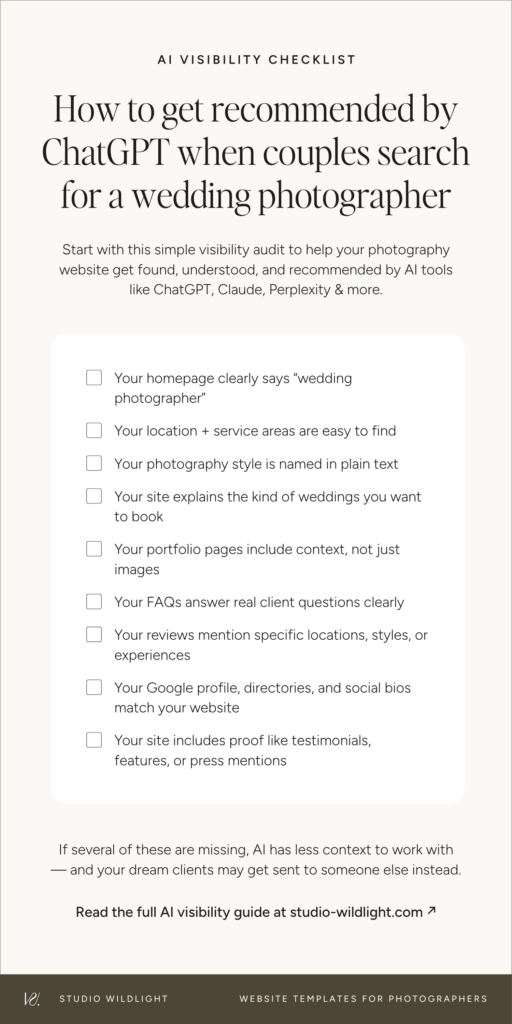
- Can AI clearly understand that you’re a wedding photographer?
Not a “visual storyteller” or “light chaser”, an actual wedding photographer, stated in plain text. - Can it identify where you’re based and where you work?
Your location and service areas should be written out, not just implied by your portfolio locations. - Can it understand your style?
Documentary, editorial, film-inspired, true-to-color, moody — whatever yours is, it needs to live somewhere on the page as real text. - Can it tell what kind of weddings you want to book?
Intimate elopements, big luxury celebrations, destination weddings, micro-weddings — be specific about what you’re actually trying to attract. - Can it find real proof?
Reviews with detail, vendor features, testimonials, press mentions — anything that signals credibility from a source that isn’t you. - Can it read your portfolio pages as more than image galleries?
If your portfolio captions are just “Emma & James,” AI has nothing to work with. Location, style, season, a sentence of context — that’s what turns a gallery into a signal. - Can it answer common client questions from your site?
FAQ sections on your homepage and services page aren’t just good for your client experience — they’re exactly the format AI loves to quote from. - Is your positioning consistent across your website, Google Business Profile, directories, and social bios?
If each platform describes you differently, the signal gets muddy. Consistency compounds.
If several of these answers are “not really,” your website probably doesn’t need more pretty photos, it needs clearer signals. The kind that help AI understand what you do, where you work, and when to recommend you.
If you’re not sure what your website actually needs page by page, start with this guide to wedding photographer website must-haves
The goal isn’t to game AI, it’s to be impossible to misunderstand
Here’s the honest truth: the photographers most likely to show up in AI search aren’t automatically the most talented. They’re the ones who are easiest to understand. They make it clear what they do, where they work, who they serve, and why clients trust them.
If AI can’t understand your business, it can’t recommend it. And if a potential client can’t understand your business within a few seconds of landing on your homepage, they’re moving on. Different tool, same problem.
The goal isn’t more traffic for the sake of traffic, or AI visibility just because everyone is suddenly talking about it. It’s a website that makes the right person think: “Oh. This is exactly what I was looking for.” To a search engine, to an AI tool, and to the dream clients who are already out there looking for someone like you.
Studio Wildlight templates are built with all of this in mind. Strategic layouts, proper heading structure, built-in blog functionality, and conversion-focused copy frameworks, so your site works for both SEO and AI from the moment you launch it.
See the templates here
Not into DIY? The Template Customization Service gets you a fully set-up, launch-ready site in about a week. Tech handled, structure sorted, zero stress.
Frequently asked questions about how to get recommended by AI as a wedding photographer
How do AI tools like ChatGPT decide which photographers to recommend?
AI tools can draw from indexed web content, including your website, blog posts, Google Business Profile, directories, reviews, and third-party mentions and synthesize it into an answer. The clearer and more consistent those signals are, the more confidently AI can include you in a recommendation. There’s no single magic lever; it’s the combination that matters.
Is optimizing for AI the same as traditional SEO?
They share the same foundation — helpful content, clear structure, fast performance, trustworthy signals — but the goal is different. Traditional SEO focuses on ranking in search results and earning clicks. Getting recommended by AI tools like ChatGPT or Perplexity is about being understood, cited, or surfaced in an answer. A well-optimized website naturally serves both, with a few intentional additions on the AI side.
Can ChatGPT actually recommend my photography business?
Yes, it can, but there’s no single magic lever. ChatGPT and other AI tools can recommend businesses when they have enough accessible, reliable, and relevant information to work from. That comes from a combination of your website content, blog posts, Google Business Profile, reviews, directories, and third-party features. The better and more consistent those signals are, the stronger your chances.
Do I need to be on The Knot or Zola to show up in AI recommendations?
Not necessarily, but it helps. Established directories are sources AI tends to trust, and being listed accurately with consistent positioning strengthens your overall signal. Think of it as one piece of the picture, not the whole thing.
How long does it take to start getting recommended by AI?
There’s no guaranteed timeline. Anyone giving you a specific number is guessing. What you can say with confidence: the clearer and more consistent your signals are, the faster AI can build an accurate picture of who you are. Start with the foundations, be patient, and treat it the same way you’d treat traditional SEO.
Does my Instagram help me get found by AI tools?
Mostly no, for now. Most AI tools don’t index Instagram content directly. What matters most is web-indexed content — your website, blog posts, Google Business Profile, directories, and mentions on other websites. Your Instagram bio should still be consistent with your website positioning, but your owned website does the heavy lifting.
Do I need to rewrite my whole website to optimize for AI?
Probably not from scratch. Start with your homepage headline, your about page, and your services page — make sure your specialty and location are written out in plain text, and add FAQ sections where they make sense. That’s the foundation. Everything else is refinement on top of it.
Do photographers still need SEO if AI search is growing?
Yes, absolutely. Traditional SEO still drives significant traffic and it supports AI visibility too. A well-optimized website gives both search engines and AI tools better information to work with. The goal isn’t to choose between SEO and AI search, it’s to build a website that serves both without doubling your workload.
Published on June 2, 2026
Written by Kim Preis


