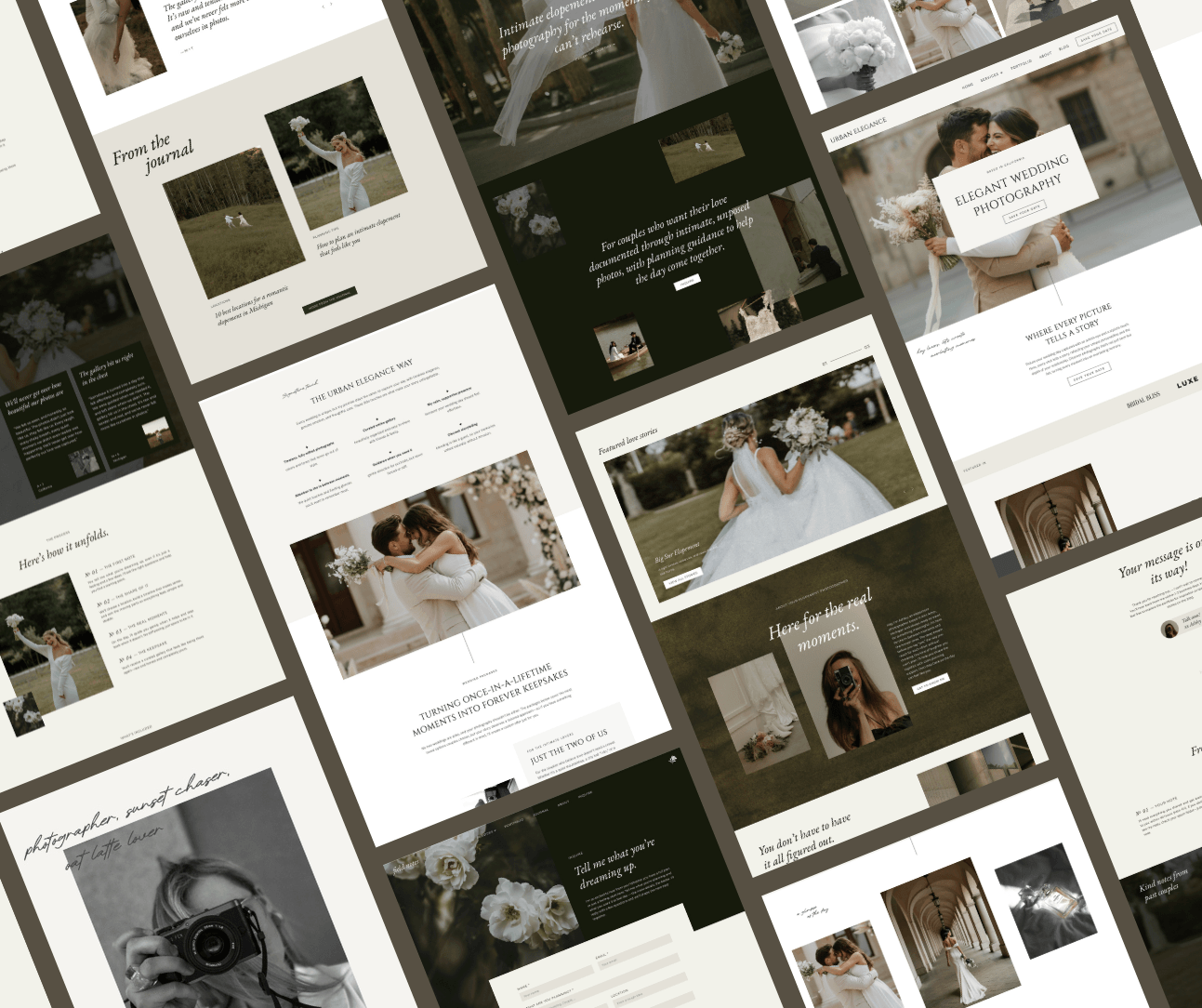


You open one tab. Then another. Then somehow it’s 11pm, you have seventeen Showit template demos open, a cold coffee next to your laptop, and you still haven’t made a decision.
The problem isn’t that you don’t know what you like. It’s that you don’t have a framework for evaluating what actually works when it comes to choosing the best Showit templates for wedding photographers. So you end up going in circles between “this one is gorgeous” and “but so is this one” until you close everything and decide to deal with it next week.
(We both know next week isn’t happening either.)
So let’s actually fix this. Here’s exactly what makes a great Showit template for wedding photographers, what red flags to walk away from, and which options are genuinely worth your attention — so you can make a decision and move on with your life.
A template isn’t just a pretty design, it’s a sales tool
This is the reframe that changes everything about how you shop.
Your website isn’t just a portfolio. It’s not a mood board. It’s the thing that takes a stranger who found you on Google or Instagram and turns them into someone who hits “inquire.” Every element of it (the layout, the page flow, where things live, what loads first) is either helping that happen or quietly getting in the way.
A stunning template with zero conversion strategy is just expensive wallpaper.
So when you’re evaluating Showit templates for wedding photographers, the question isn’t just “does this look like my brand?” It’s “does this actually work?”
A lot of them don’t. More on that in a minute.
(And if you’re not sure whether your current site is pulling its weight, this post on photography website mistakes that are quietly costing you clients is worth a read.)
What to look for in a Showit template for wedding photographers
Run every template you’re considering through these before you buy. Seriously — screenshot this section if you have to.
A layout built around how couples actually make decisions
Wedding photography is an emotional purchase. Couples aren’t comparison shopping on specs, they’re deciding whether they trust you, whether your work moves them, and whether they can imagine you at their wedding. A great template understands this and structures the page flow around it.
What does that look like in practice? Your work leads. Your personality shows up early. Social proof (testimonials, real couple stories) is placed where doubt naturally creeps in, not buried at the bottom of a page nobody scrolls to. The path from “I’m interested” to “I’m inquiring” is obvious and frictionless.
If the layout makes someone work to find what they need, you’ve already lost them. And they’re never going to tell you why.
Imagine arriving in a new city and someone hides the map. That’s what confusing navigation does to your potential clients. And I see it ALL the time: a hamburger menu icon tucked in a low-contrast corner, barely visible, on a site where the visitor has never been before and has no idea where anything lives.
Your nav doesn’t need to be clever or complicated. It needs to be visible, intuitive, and follow best practices. Visitors didn’t come to figure out your website. They came to see if they want to hire you.
Conversion strategy baked in, not bolted on
This is where a lot of pretty templates fall completely flat. Conversion strategy needs to be built into the template’s DNA, not something you try to patch in after the fact.
What you’re looking for: a clear call-to-action above the fold before anyone scrolls, CTAs that appear naturally throughout the page rather than only at the very bottom, and testimonials placed where they actually do something. A testimonial right before your investment information? Does real work. A testimonial section wedged between the footer and the blog or even tucked away on a separate page? Yeah, I’ve seen it. It’s not doing anything for anyone.
A template designed with strategy guides your visitor through a journey. A template designed for aesthetics alone looks gorgeous in the demo and leaves you wondering why nobody’s inquiring.
Services and experience pages that sell with context
A standalone pricing page that just lists numbers isn’t doing you any favors. Wedding photography is a high-trust, high-investment decision — couples need to understand the full experience before a price makes sense to them. The best templates give you dedicated services or experience pages where you can walk people through what working with you actually looks like: your process, what’s included, what makes your approach different. Pricing lands differently when it comes with context.
That said, some indication of investment somewhere on the site matters. Couples are visiting multiple photographers’ websites, and if they can’t tell whether you’re in their ballpark at all, a lot of them will quietly move on rather than reach out to ask.
A contact form that feels like the start of something, not a job application
Your contact page is the last step before someone raises their hand and says “I’m interested.” It should feel warm and easy, not like filling out a government form. The best templates give you a contact page that matches the energy of the rest of your site and asks for just enough information to qualify the lead, without making someone answer fifteen questions before you’ve even said hello.
SEO structure that’s already set up correctly
Showit is genuinely great for SEO when it’s set up properly — and plenty of templates aren’t. What to check: is there a clear heading hierarchy throughout the template? A single H1 per page, logical H2s and H3s that follow, no skipped heading levels? This is what helps search engines understand what each page is about. If the heading structure is chaotic (multiple H1s, levels jumping all over the place) that’s something you’ll be untangling for a while.
Mobile-first design
Over 60% of your website visitors are on their phones. A template that looks incredible on desktop but is awkward or hard to navigate on mobile is losing you bookings every single day.
In Showit, mobile and desktop are designed separately, which means a good template designer has put real thought into both. Always check the mobile demo. Tap through it like a potential client would. If something feels clunky, move on.
A structure that understands how couples actually book
Wedding photography has a longer, more emotional sales cycle than almost any other creative service. Couples aren’t making a quick decision — they’re spending weeks (sometimes months) comparing photographers, building trust, imagining their day. A template built specifically for wedding photographers accounts for this. It gives you space to walk couples through the full experience: what it’s like to work with you, what the wedding day actually feels like, what happens after. Not just a gallery and a contact form.
Generic photography templates weren’t designed with this journey in mind. They’re built for “here’s my work, here’s my contact page.” Wedding photography needs more than that, and a template that genuinely gets this will make a real difference in the quality of inquiries you receive.
Guiding copy so you’re not starting from a blank page
Good templates come with placeholder copy that shows you what to say and where — not just “Heading goes here” in grey text, but actual directional copy you can adapt and make your own. Genuinely underrated as a feature and honestly one of the main reasons websites sit half-finished for months. Starting from a solid copy framework means you can focus on making it yours instead of staring at empty text boxes at midnight wondering what to write on your about page. Again.
Red flags that should make you close the tab
Just as important as knowing what to look for: knowing when to walk away. These are the things I’d be looking at if I were you.
No CTA above the fold. If someone lands on the homepage and there’s nothing inviting them to take action before they scroll, that template wasn’t designed to convert. Full stop.
Heading hierarchy chaos. Multiple H1s on a single page, heading levels that skip around with no logic: this confuses search engines and makes your site harder to rank. Worth opening a demo and checking the actual structure before you buy, it takes a few minutes and will save you a lot of headaches.
Confusing page structure. You should be able to look at a template demo and immediately understand the flow. If you’re clicking through pages trying to figure out where everything is or why, your potential clients will do the same. And they’ll give up a lot faster than you will.
No blog pages. Blogging isn’t mandatory, but if you want to build organic traffic over time, having a blog properly integrated from the start makes it significantly easier. A template with no blog pages, or blog pages clearly added as an afterthought, is limiting your options before you’ve even launched.
Zero guiding copy. A template that’s just blank placeholders gives you no direction. You’ll stare at it for weeks and never launch. (Genuinely, I’ve seen this happen so many times. Don’t do it to yourself.)
Everyone has this template. If you’ve seen this exact design on five other photographers’ websites recently, customize it very carefully or pick something else. Your website should feel like you, not like a membership card to a very large club.
The best Showit templates for wedding photographers
Every template in the Studio Wildlight shop was built with the same foundation I’ve used across countless of client projects over 15+ years: real conversion strategy, SEO-ready structure, and a deep understanding of how wedding photographers actually book clients. These aren’t pretty layouts with strategy as an afterthought. The strategy came first.
Field Notes — editorial, moody, story-driven
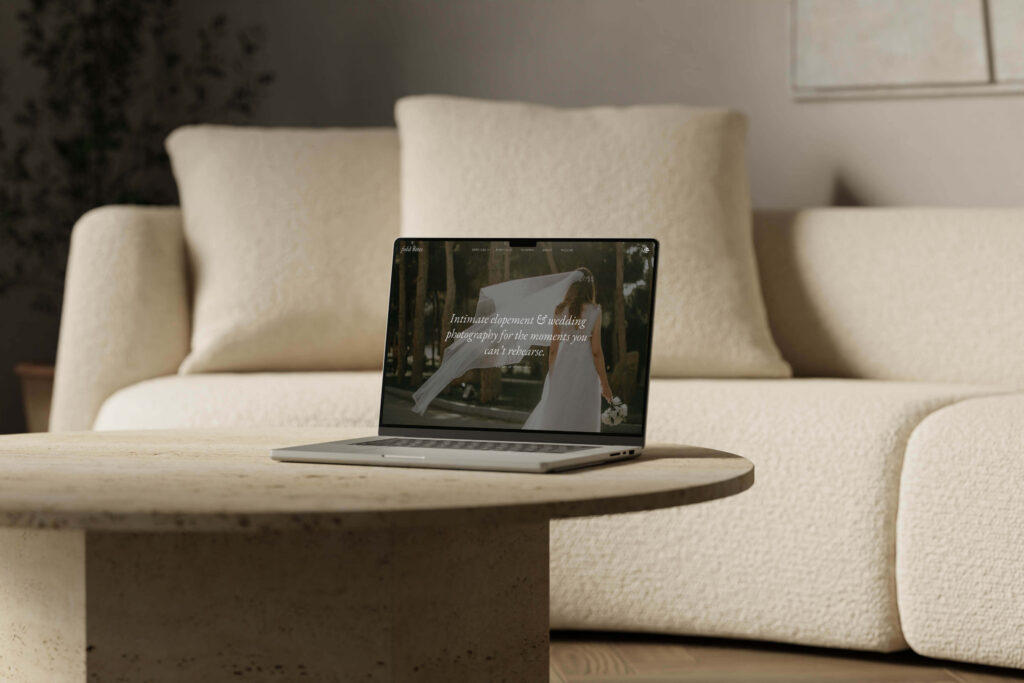
Field Notes is built for elopement and wedding photographers who document intimate, unposed love stories. The whole design philosophy is image-led and story-forward. Your work isn’t just displayed, it’s doing the convincing.
Strategically: clear client journey from the first scroll, CTAs placed where they convert, testimonials positioned to build trust right when a visitor is deciding whether to reach out. SEO-ready from the start, and the guiding copy throughout means you’re never staring at a blank page.
The vibe: editorial, moody, refined. If your style is intimate, raw, documentary-style and your couples hire you for the feeling, this one’s for you.
View the Field Notes live demo or see full details here.
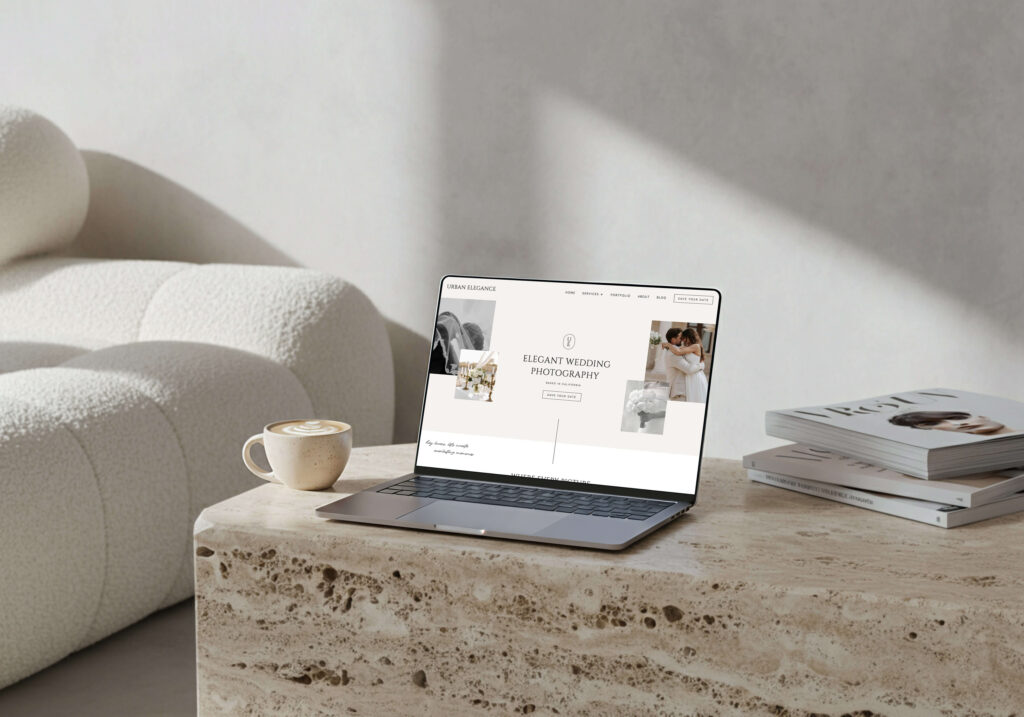
Urban Elegance is for the wedding photographer who wants their site to feel like a high-end timeless magazine: clean lines, soft tones, intentional white space, and a layout that lets your photography do exactly what it should. Stop people mid-scroll.
This one is built to position you at the premium tier. It’s the kind of site that makes your dream clients feel like they’ve found exactly what they were looking for. Lysann, a wedding photographer who launched with Urban Elegance, said: “In the first 3 days after my website went live, I already received two wedding inquiries, I couldn’t believe it!”
Same strategic foundations as Field Notes — conversion-focused layout, SEO-ready, guiding copy — completely different aesthetic energy.
View the Urban Elegance live demo or see full details here.
Browse the full Studio Wildlight template shop
Other options worth exploring
If my aesthetic isn’t your aesthetic, I’d genuinely rather you find something that fits. Two other shops worth browsing: Tonic Site Shop and Northfolk. Neither is wedding-photography-specific, but both have quality work and beautiful templates.
Just run whatever you find through the criteria above before you buy, because pretty is not the same as strategic when it comes to finding the best Showit templates for wedding photographers.
How to find the right template for your style and goals
Template shopping is weirdly personal. Two photographers can look at the exact same demo and have completely opposite reactions — and honestly, both of them are right. The right template is the one that feels like an elevated version of your brand, not someone else’s idea of what a wedding photographer’s website should look like.
A few things that actually help:
What’s your editing style? Moody, dark, cinematic work tends to sing in editorial, image-heavy layouts with strong contrast and bold type. Light, airy, romantic work often looks stunning in minimal, soft, lots-of-white-space designs. Your template and your photography should feel like they came from the same creative brain.
Where are you trying to take your business? If you’re repositioning toward higher-end clients and higher prices, your template needs to reflect where you’re going, not where you’ve been. Pick something that matches your target positioning, not your current one.
Don’t reject a template because of the demo colors. This is a big one. Every template is 100% customizable — fonts, colors, images, layouts, all of it. When you’re looking at a demo, you’re evaluating the structure, the flow, and the layout logic, not the color palette. If the bones are right and the vibe translates to your aesthetic, the rest is just customization. A template in warm terracotta tones can absolutely become your cool, minimal, all-white brand. Give yourself permission to use your imagination a little.
How much time do you actually have? Honest question. A template you can genuinely launch in a weekend is worth more than a template you’ll spend three months tweaking and never publish. If the DIY side of things makes you want to close your laptop, the Template Customization Service exists for exactly this reason: I’ll take your chosen template (one of my own templates or from another shop), add your branding and content, handle the tech, and hand you back a launch-ready site in about a week.
Does it make you excited to send your link to someone? If you look at a demo and think “yeah, that’s it”, that matters. Photographers who love their site talk about it more, link to it more, and show up more confidently everywhere online.
The goal isn’t to find the objectively “best” template. It’s to find the one that makes your work look as good as it actually is, and makes it genuinely easy for the right couples to say yes.
Before you pick a template, it helps to know what your site actually needs. My free Website Guide for Wedding Photographers walks you through everything so you know exactly what you’re building toward before you invest.
Frequently asked questions
What’s the difference between a strategic Showit template and just a pretty one?
A strategic template is built around how potential clients actually make decisions — CTAs in the right places, trust signals where doubt naturally occurs, a logical page flow, correct SEO structure baked in from the start. A purely aesthetic template may look gorgeous in the demo and leave you wondering why visitors aren’t converting. The best Showit templates for wedding photographers do both.
Can I use a Showit template if I don’t like the demo colors or fonts?
Yes — completely. Every Showit template is fully customizable. When you’re evaluating a template, focus on the layout structure and page flow, not the color palette. A template in warm earthy tones can absolutely become a cool, minimal, all-white brand once your colors and fonts are applied. Evaluate the bones. The rest is yours to make your own.
How do I know if a Showit template has good SEO structure?
Look for a clear heading hierarchy: one H1 per page, logical H2s and H3s that follow a sensible order, no skipped heading levels. This is what helps search engines understand your content. If a template has multiple H1s or a chaotic heading structure, that’s something you’d be untangling manually after purchase.
—
Finding the right Showit template for your wedding photography business shouldn’t feel like a second job. Know what to look for, trust your gut on the aesthetic, and remember: the best template is the one you actually launch.
Got questions about which one might be right for your style? Send me a message, I’m always happy to help you figure it out. ☕️
xx, Kim
Published on March 26, 2026
Written by Kim Preis


